|
Buying Online

 To buy on Closo online, first make sure you read the item description and ask the seller questions if you need to. To buy on Closo online, first make sure you read the item description and ask the seller questions if you need to.
Once you are sure about buying, add the ad to your shopping cart. Then, youneed to make a payment to the seller via an online payment system. (Closo currently supports Paypal and will soon support WorldPay and Moneybookers as payment solutions. Never send cash, Western Union or checks). Then your seller ships the item. It is advised that items are shipped with tracking.
|
| |
| Selling Online
The basic requirement for being able to sell online is to be able to accept online payments. For this, you need to add an online payment account such as PayPal, Moneybookers, or Worldpay on the Seller's Preferences page (my Closo > Manage > Seller's Preferences). Once you have that added, customers can pay you online with their debit and credit cards.
If you want your ad to be purchased by users online, then, you need to provide the shipping costs for the destinations you are willing to ship to on the Ad Listing Page. If you don’t specify a given region, Closo will not allow the buyers to add your item to their shopping cart.
|
Compare Closo to other sites
|
| |
Closo |
eBay |
Livedeal |
Big4Assets |
Craigslist |
Hoobly |
Kijiji |
| Listing Fees |
No |
Yes |
No |
Yes |
Some |
No |
No |
| Online Sales |
Yes |
Yes |
Yes |
Yes |
No |
No |
No |
| Final Value Fees |
1% for online |
2-5% |
5% for online |
10% |
N/A |
N/A |
N/A |
| Local Sales |
Yes |
No |
Yes |
No |
Yes |
Yes |
Yes |
| International |
Yes |
No |
No |
No |
No |
No |
No |
How to search

|
Search box
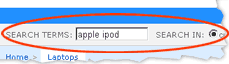
Use the search box to search the whole site or in a specific category
If you know what you want, be specific: “Toshiba P35-S609”, “Little red riding hood”
If you want more results, be less specific: “Laptop”
If you want Laptops in Seattle: set the Geo-Location box to Seattle, then search “Laptop”
If you want Ultraportable Laptops in Seattle: browse down to Laptops > Ultraportable from the CatBar
|
 |
Category bar
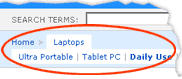
The CatBar is the hierarchy of categories and subcategories
It allows you to browse for specific types of ads: condos for sale, tvs for sale, rooms for rent etc…
Use the search box and the location box for more custom results.
|
 |
|
|
Geo-Location box
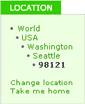 Type your zip/postal code into the search box. Closo will show you ads from your city first. Type your zip/postal code into the search box. Closo will show you ads from your city first.
Then it will show ads from your region, your country and the World.
You can change the regions anytime, just click on "Change location"
If you want to go back home, click on “Take me Home”
|
|
Sort Dropdown
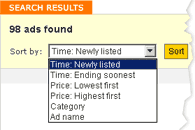 Youcan sort the ads by: Youcan sort the ads by:
the ending time or start time of the ads
price
category
ad name (alphabetically)
|